Deploy a Lightweight Kubernetes Cluster – K3s on ECloud
Provisioning on ECloud
-
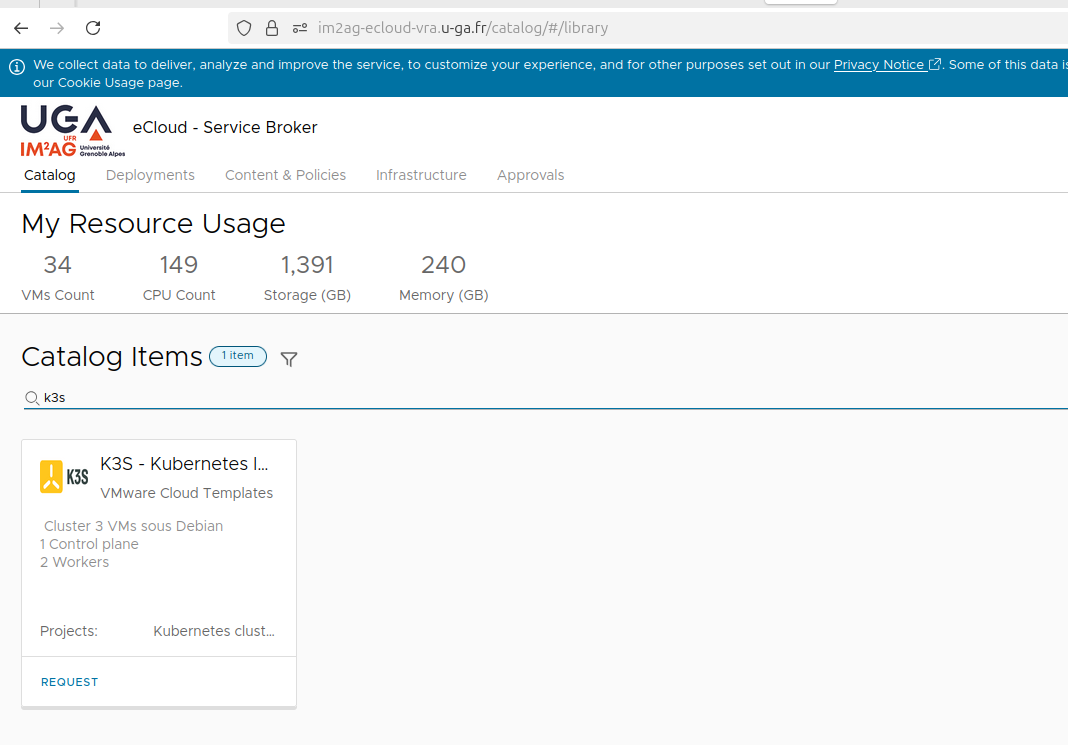
Go to the ECloud service catalog https://im2ag-ecloud-vra.u-ga.fr/catalog/#/library
-
Choose the K3S - Kubernetes léger model.
-
Fill out the form to create the infrastructure.
-
Set a login and password of your choice, and specify a name for your deployment.
⚠️ Warning: Do not use your Agalan password here — create a new dedicated password for cluster access.
In the form, Nom d’utilisateur and Mot de passe are the login and password that you will use to access your Virtual Machines.
Save them securely before submitting the form. -
For the machine specifications, you can keep the default values or check this section to adjust the configuration according to your needs.
Memoire RAM du Control plane en Mo: This is your control plane’s RAM capacity in megabytes. The minimum requirement is 2048 MB.
Stockage du Control plane en Go: This is your control plane’s hard disk capacity in gigabytes.
CPU du Control plane: This is your control plane’s virtual CPU count. The minimum requirement is 2 vCPUs.Memoire RAM des Workers en Mo: This is your worker nodes’ RAM capacity in megabytes. The minimum requirement is 1024 MB.
Stockage de Worker en Go: This is your worker nodes’ hard disk capacity in gigabytes.
CPU des Workers: This is your worker nodes’ virtual CPU count. The minimum requirement is 1 vCPU.Nom de contexte du cluster: This is the name of the Kubernetes context associated with your cluster.
Configuration clavier par defaut dans la console: is your keyboard layout on your remote machines.
- Submit the form.
- The cluster creation process takes approximately 15 minutes.
Cluster Access
Once the cluster is ready, you will see the IP addresses of all the machines in your cluster under the Deployments tab, in the Address field of your deployment.
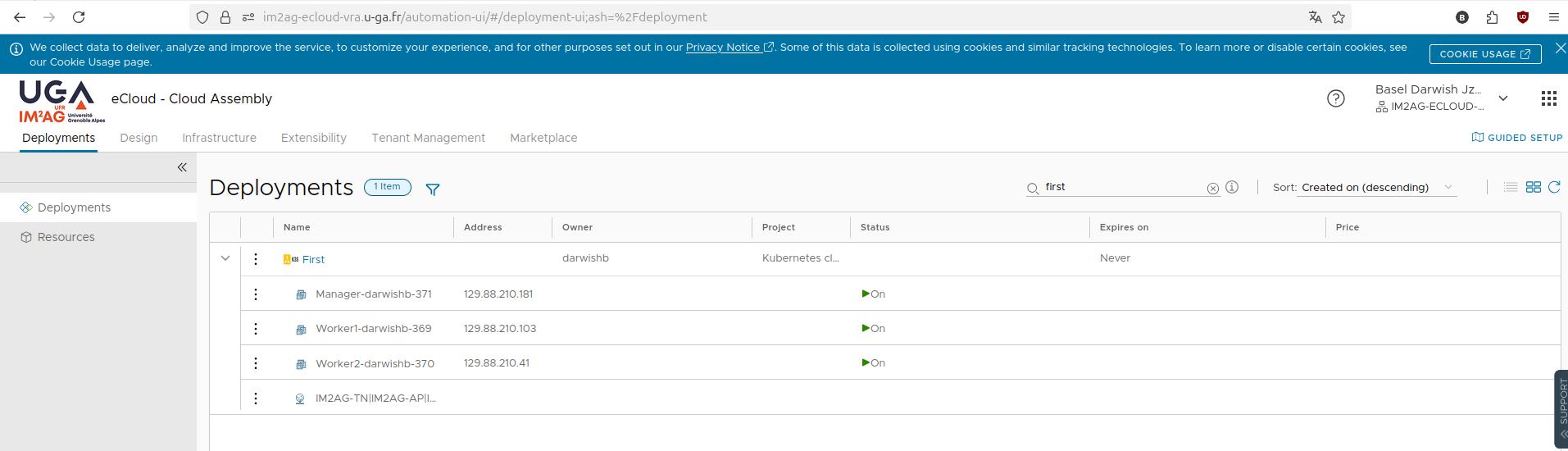
Connect to the Manager VM using the username and password you chose when you created the cluster in the Ecloud form.
ssh -l login IP # Ex. ssh -l adminK3S 129.88.210.181
The kubeconfig file is located in the connection directory.
Please note that only ports 4200 to 4210 are available for students network profiles.
Conclusion and Recommendations
⚙️ Recommended Configurations
Tests show that a minimal K3s cluster on a single VM quickly becomes limited.
The recommended configuration below provides stable and acceptable performance for an application composed of several microservices.
3 VMs :
- Control-plane : 2 vCPU + 2 Go RAM
- Workers (x2) : 1 vCPU + 1 Go RAM each
For example, the Online Boutique application consists of 11 main services (such as frontend, catalog, cart, payment, shipping, and recommendations), each deployed in its own pod and communicating via gRPC/HTTP.
⚠️ Important
You have root access to your deployments.
You can install software and modify machine configurations as you see fit, as long as you comply with
the Université Grenoble Alpes IT usage policy
that you have signed, which makes you legally responsible for your use.
⚠️ Important
Please make sure to delete all resources at the end of your session to avoid any unnecessary consumption.