Deploy a Docker VM on ECloud
This guide explains how to deploy a virtual machine with Docker preinstalled on the ECloud platform of IM2AG at Université Grenoble Alpes.
1. Access the Ecloud Portal
Go to the Ecloud portal: https://im2ag-ecloud-vra.u-ga.fr/catalog/#/library
2. Search for the Docker Template
In the catalog, search for the template named Docker.
This template is based on Debian 13 and comes with Docker preconfigured.
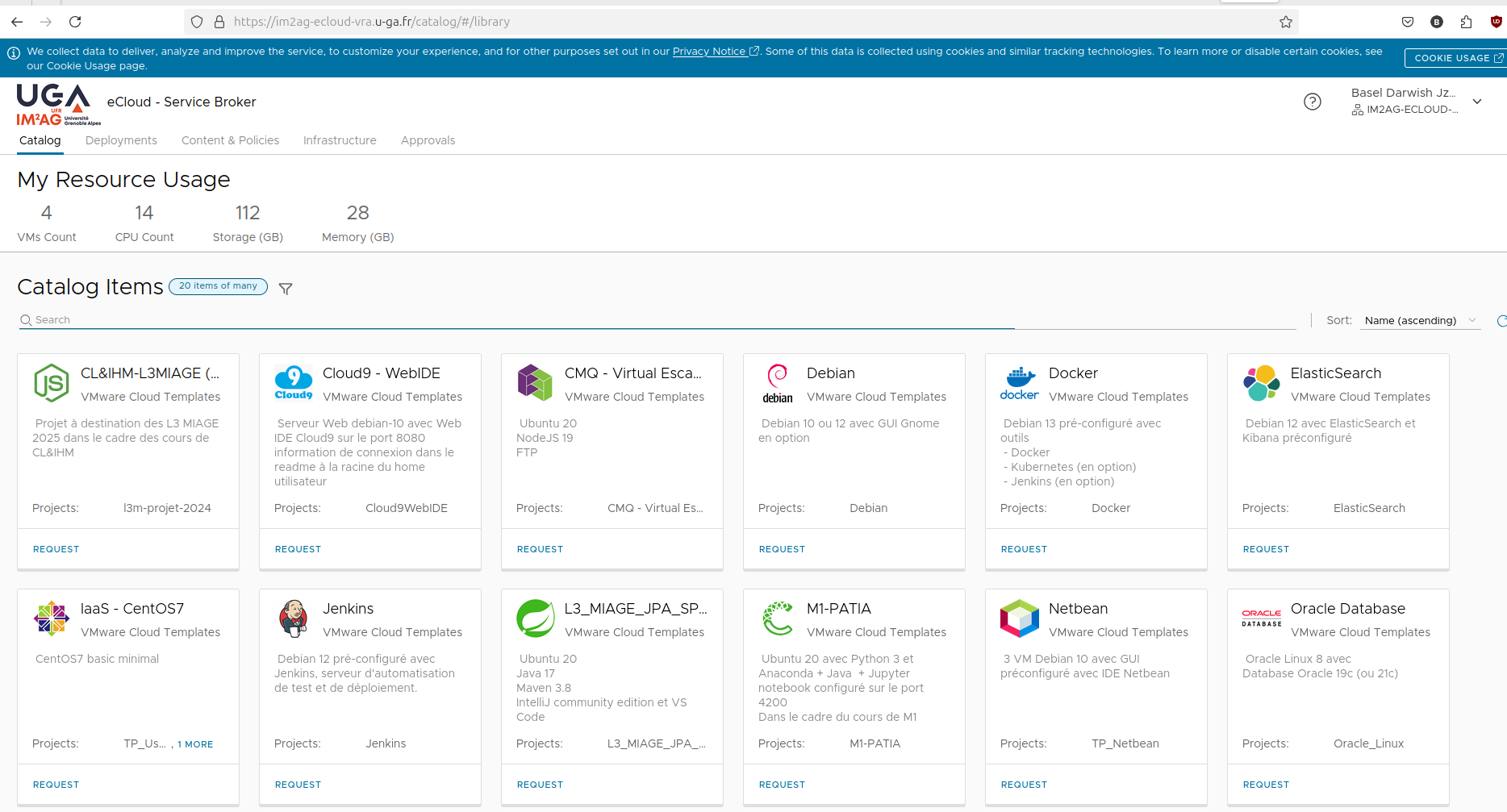
3. Submit a Request
- Click Request.
- Give your deployment a name.
- Choose a username (for example
ecloud) and a password. - Specify the resources to allocate:
- CPU : 2 ou 4
- RAM : 2048 Mo, 4096Mo, 8192Mo
- (Optional) You can also select additional installations such as JDK, Maven, NPM, or MiniKube.
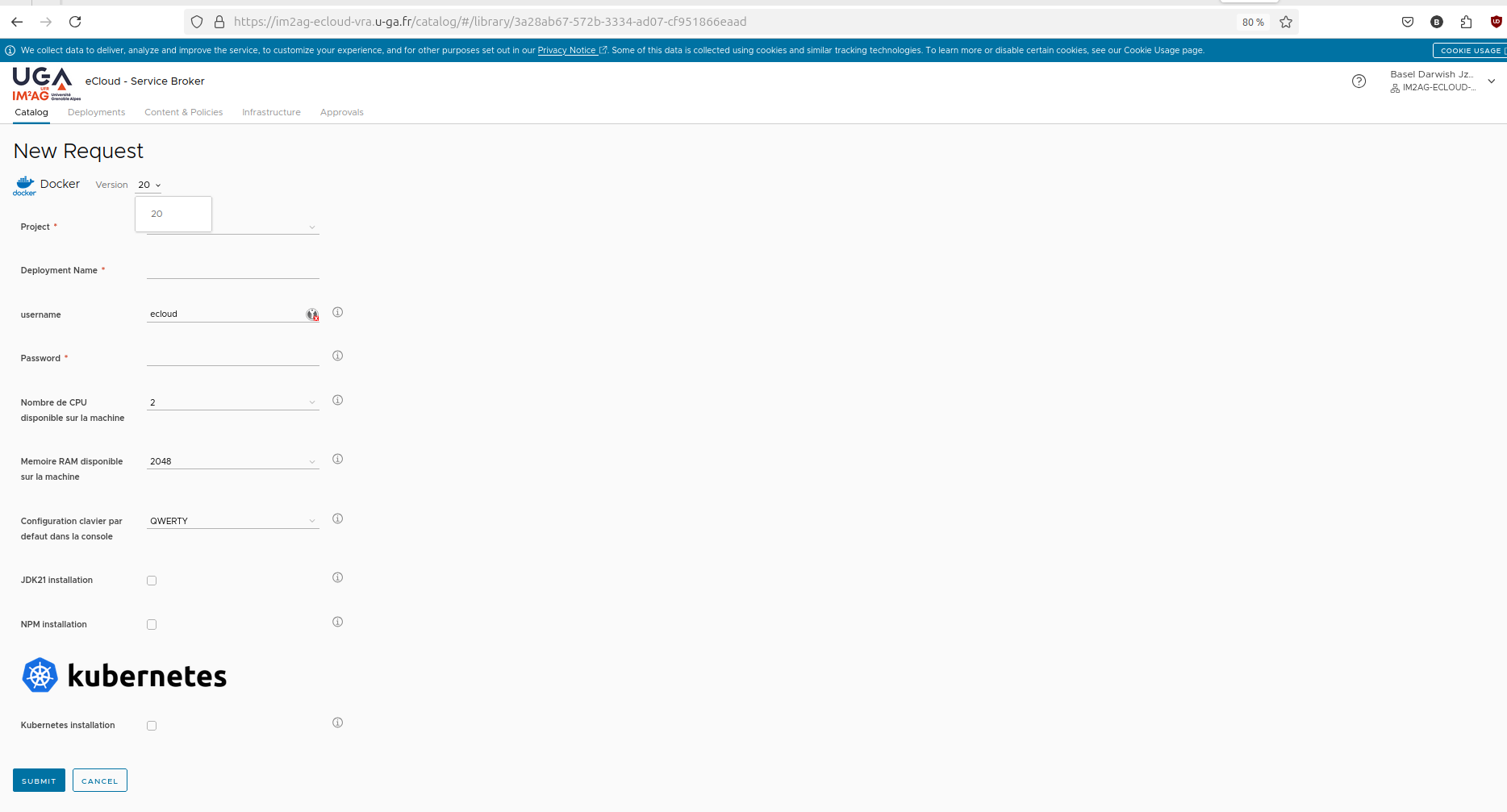 Click Submit to start the deployment.
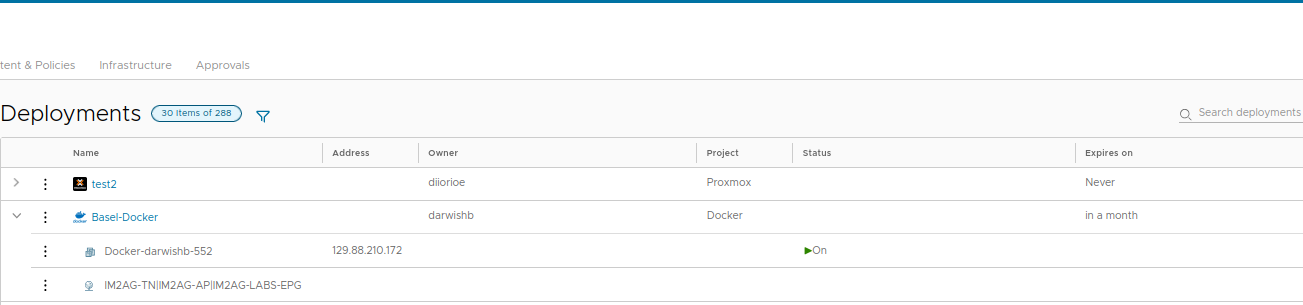
4. Check the Deployment
After a few minutes, open the Deployments tab.
You will see your active deployment with its name, IP address, and status (which should be On).
5. SSH Connection
Connect to the machine using SSH with the credentials you specified earlier:
ssh ecloud@<ADRESSE_IP>
⚠️ Important
Please make sure to delete all resources at the end of your session to avoid any unnecessary consumption.